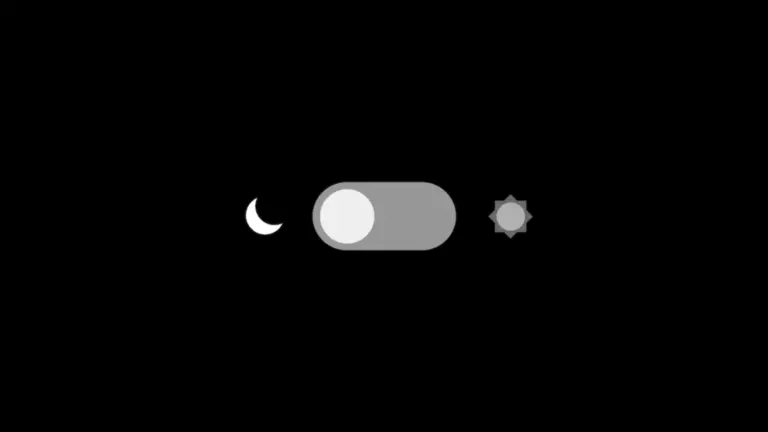
- Ý tưởng cốt lõi
- Mẫu 1: Toggle cơ bản với CSS Variables
- 🌞 Light Mode
- Mẫu 2: Toggle + localStorage (Nhớ preference)
- 💾 Có nhớ preference
- Mẫu 3: Tự động theo System Preference
- 🖥️ Theo System
- Mẫu 4: Toggle với Animation “Chuyển cảnh” đẹp
- ✨ Chuyển cảnh đẹp
- Mẫu 5: 3 Chế độ — Light / Dark / Auto
- 🎛️ 3 Chế độ
- Bảng so sánh 5 mẫu
- Kết luận
Ý tưởng cốt lõi
Mọi cách làm dark mode đều dựa trên 3 cột trụ:
- CSS Variables: Định nghĩa màu sắc cho light mode, ghi đè cho dark mode.
- Class / Attribute toggle: JavaScript thêm/xóa class
darkhoặc attributedata-theme. - Persistence: Lưu preference vào
localStoragehoặc đọc từprefers-color-scheme.
Mẫu 1: Toggle cơ bản với CSS Variables
Cách đơn giản nhất: dùng một class .dark trên container và định nghĩa màu tối bên trong. Phù hợp cho demo nhanh, prototype, hoặc component nhỏ.
HTML & CSS
<div class="dmt-box" id="demo1">
  <h3>🌞 Light Mode</h3>
  <button class="dmt-btn" onclick="toggle1()">Toggle</button>
</div>

<style>
  .dmt-box { background:#fff; color:#333; padding:30px; transition:all 0.3s; }
  .dmt-box.dark { background:#1a1a2e; color:#eee; }
  .dmt-btn { padding:10px 24px; border:none; border-radius:30px; cursor:pointer; background:#333; color:#fff; }
  .dmt-box.dark .dmt-btn { background:#f1c40f; color:#333; }
</style>
JavaScript
function toggle1() {
  document.getElementById('demo1').classList.toggle('dark');
}
Demo
🌞 Light Mode
Click nút bên dưới để chuyển đổi.
Mẫu 2: Toggle + localStorage (Nhớ preference)
Mẫu 1 mất trạng thái khi reload. Mẫu này lưu lựa chọn vào localStorage, đảm bảo user quay lại vẫn thấy đúng theme họ chọn. UI dùng switch toggle thay vì button — trực quan hơn.
HTML & CSS
<div class="dmt2-box" id="demo2">
  <h3>💾 Có nhớ preference</h3>
  <div class="dmt2-switch" onclick="toggle2()"></div>
</div>

<style>
  .dmt2-box { background:#f0f4f8; color:#2d3748; padding:30px; transition:all 0.4s; }
  .dmt2-box.night { background:#2d3748; color:#f0f4f8; }
  .dmt2-switch { width:60px; height:30px; background:#cbd5e0; border-radius:15px; position:relative; cursor:pointer; display:inline-block; transition:background 0.3s; }
  .dmt2-switch::after { content:''; width:26px; height:26px; background:#fff; border-radius:50%; position:absolute; top:2px; left:2px; transition:transform 0.3s; box-shadow:0 2px 4px rgba(0,0,0,0.2); }
  .dmt2-box.night .dmt2-switch { background:#4a5568; }
  .dmt2-box.night .dmt2-switch::after { transform:translateX(30px); background:#f6e05e; }
</style>
JavaScript
const dmt2Key = 'dmt-demo2-theme';

function toggle2() {
  const box = document.getElementById('demo2');
  const isDark = box.classList.toggle('night');
  localStorage.setItem(dmt2Key, isDark ? 'dark' : 'light');
}

(function() {
  const saved = localStorage.getItem(dmt2Key);
  if (saved === 'dark') document.getElementById('demo2').classList.add('night');
})();
Demo
💾 Có nhớ preference
Reload trang — theme vẫn giữ nguyên!
Mẫu 3: Tự động theo System Preference
Thay vì đoán user thích gì, hãy hỏi hệ điều hành. Dùng matchMedia('(prefers-color-scheme: dark)') để tự động bật dark mode nếu user đã để system ở chế độ tối. Kết hợp với change event để lắng nghe real-time.
HTML & CSS
<div class="dmt3-box" id="demo3">
  <h3>🖥️ Theo System</h3>
  <span id="dmt3-status">Đang lắng nghe...</span>
</div>

<style>
  .dmt3-box { background:#fff5f5; color:#742a2a; border:2px dashed #fc8181; padding:30px; transition:all 0.4s; }
  .dmt3-box.system-dark { background:#1a202c; color:#90cdf4; border-color:#4299e1; }
</style>
JavaScript
const mq = window.matchMedia('(prefers-color-scheme: dark)');
const demo3 = document.getElementById('demo3');
const status = document.getElementById('dmt3-status');

function apply(e) {
  if (e.matches) {
    demo3.classList.add('system-dark');
    status.textContent = 'System đang ở Dark Mode 🌙';
  } else {
    demo3.classList.remove('system-dark');
    status.textContent = 'System đang ở Light Mode ☀️';
  }
}
apply(mq);
mq.addEventListener('change', apply);
Demo
🖥️ Theo System
Tự động đổi khi bạn đổi theme Windows/macOS!
Đang lắng nghe…
Mẫu 4: Toggle với Animation “Chuyển cảnh” đẹp
Dark mode không chỉ là đổi màu — hãy kể một câu chuyện. Mẫu này dùng gradient chuyển động, hiệu ứng mặt trăng xuất hiện, và sao lấp lánh khi chuyển sang dark mode. Transition dùng cubic-bezier để tạo cảm giác “mượt”.
HTML & CSS
<div class="dmt4-scene" id="demo4">
  <div class="dmt4-moon"></div>
  <div class="dmt4-stars"></div>
  <h3>✨ Chuyển cảnh đẹp</h3>
  <button onclick="toggle4()">Chuyển đổi</button>
</div>

<style>
  .dmt4-scene { background:linear-gradient(135deg,#667eea,#764ba2); color:#fff; padding:40px; border-radius:12px; position:relative; overflow:hidden; transition:all 0.6s cubic-bezier(0.4,0,0.2,1); text-align:center; }
  .dmt4-scene.dark-mode { background:linear-gradient(135deg,#0f2027,#203a43,#2c5364); }
  .dmt4-moon { position:absolute; top:20px; right:30px; width:40px; height:40px; background:#f6e05e; border-radius:50%; box-shadow:0 0 20px #f6e05e; opacity:0; transform:translateY(20px); transition:all 0.6s ease; }
  .dmt4-scene.dark-mode .dmt4-moon { opacity:1; transform:translateY(0); }
  .dmt4-star { position:absolute; width:3px; height:3px; background:#fff; border-radius:50%; opacity:0; transition:opacity 0.6s; }
  .dmt4-scene.dark-mode .dmt4-star { opacity:0.8; animation:twinkle 2s infinite alternate; }
  @keyframes twinkle { 0%{opacity:0.3;transform:scale(0.8);} 100%{opacity:1;transform:scale(1.2);} }
</style>
JavaScript
function toggle4() {
  document.getElementById('demo4').classList.toggle('dark-mode');
}

(function() {
  const stars = document.querySelector('#demo4 .dmt4-stars');
  for (let i = 0; i < 20; i++) {
    const star = document.createElement('div');
    star.className = 'dmt4-star';
    star.style.left = Math.random() * 100 + '%';
    star.style.top = Math.random() * 100 + '%';
    star.style.animationDelay = Math.random() * 2 + 's';
    stars.appendChild(star);
  }
})();
Demo
✨ Chuyển cảnh đẹp
Gradient, mặt trăng, và sao lấp lánh.
Mẫu 5: 3 Chế độ — Light / Dark / Auto
Cách làm chuyên nghiệp nhất: cho user 3 lựa chọn. Light luôn sáng, Dark luôn tối, Auto theo system. Đây là pattern bạn thấy ở GitHub, YouTube, và hầu hết các app hiện đại.
HTML & CSS
<div class="dmt5-frame" id="demo5">
  <h3>🎛️ 3 Chế độ</h3>
  <div class="dmt5-selector">
    <button class="dmt5-opt active" onclick="set5('light')">☀️ Light</button>
    <button class="dmt5-opt" onclick="set5('dark')">🌙 Dark</button>
    <button class="dmt5-opt" onclick="set5('auto')">⚙️ Auto</button>
  </div>
</div>

<style>
  .dmt5-frame { background:#fff; color:#333; padding:30px; border-radius:8px; border:1px solid #e2e8f0; transition:all 0.4s; text-align:center; }
  .dmt5-frame.mode-dark { background:#1a202c; color:#e2e8f0; border-color:#2d3748; }
  .dmt5-frame.mode-auto { background:#edf2f7; color:#2d3748; border:2px solid #4299e1; }
  .dmt5-selector { display:inline-flex; gap:0; border-radius:8px; overflow:hidden; border:1px solid #cbd5e0; }
  .dmt5-opt { padding:10px 20px; border:none; background:#fff; cursor:pointer; font-weight:500; transition:all 0.2s; }
  .dmt5-opt.active { background:#4299e1; color:#fff; }
  .dmt5-frame.mode-dark .dmt5-opt { background:#2d3748; color:#e2e8f0; }
  .dmt5-frame.mode-dark .dmt5-opt.active { background:#63b3ed; color:#1a202c; }
  .dmt5-frame.mode-auto .dmt5-opt.active { background:#3182ce; color:#fff; }
</style>
JavaScript
const mq5 = window.matchMedia('(prefers-color-scheme: dark)');

function set5(mode, btn) {
  const frame = document.getElementById('demo5');
  const buttons = frame.querySelectorAll('.dmt5-opt');
  buttons.forEach(b => b.classList.remove('active'));
  btn.classList.add('active');
  frame.classList.remove('mode-dark','mode-auto');
  if (mode === 'dark') frame.classList.add('mode-dark');
  else if (mode === 'auto') {
    frame.classList.add('mode-auto');
    if (mq5.matches) frame.classList.add('mode-dark');
  }
}

mq5.addEventListener('change', (e) => {
  const frame = document.getElementById('demo5');
  if (frame.classList.contains('mode-auto')) {
    frame.classList.toggle('mode-dark', e.matches);
  }
});
Demo
🎛️ 3 Chế độ
Light, Dark, hoặc Auto theo system.
Bảng so sánh 5 mẫu
| Mẫu | Ưu điểm | Nhược điểm | Khi nào dùng |
|---|---|---|---|
| 1. Cơ bản | Code ngắn, dễ hiểu | Mất trạng thái khi reload | Demo, prototype nhanh |
| 2. localStorage | Nhớ preference user | Không tự động theo system | Web app, dashboard |
| 3. System | Zero-config cho user | Không cho user override | Blog, landing page đơn giản |
| 4. Animation | Trải nghiệm cao cấp | CSS phức tạp hơn | Portfolio, creative site |
| 5. 3-Mode | Linh hoạt nhất, chuẩn industry | Logic phức tạp nhất | SaaS, app production |
Kết luận
Dark mode không cần thư viện nặng hay framework phức tạp. Với CSS variables, một chút JavaScript, và UIkit cho layout, bạn đã có đủ công cụ để triển khai từ prototype đến production.
Gợi ý tối ưu:
- Đặt
transitiontrên container để mọi element chuyển màu mượt mà. - Tránh
flash whitekhi load bằng cách chạy JS đọc theme ngay trong<head>(inline script). - Dùng
color-scheme: darkđể browser tự đổi màu scrollbar, input, và các UI native. - Test kỹ contrast ratio — dark mode không chỉ là đảo màu đen trắng.
Copy code, dán vào project, chỉnh màu theo brand là chạy ngay. Chúc bạn toggle vui!







Bình luận