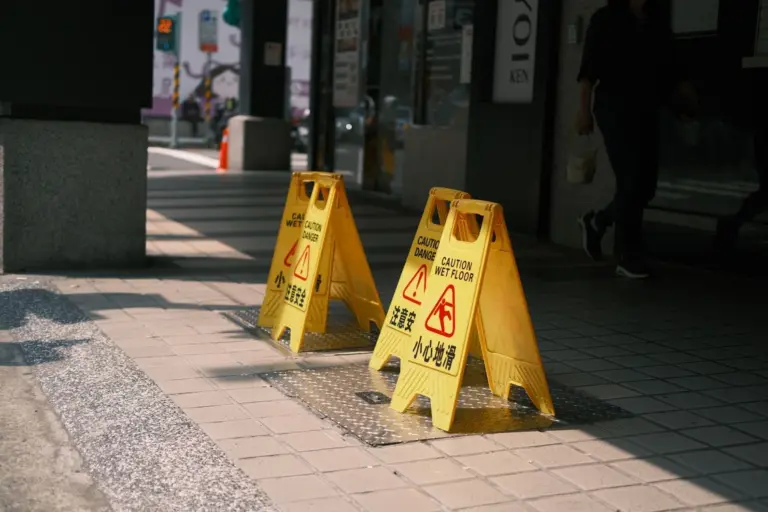
- 1. Kiến trúc tổng thể: Đừng bao giờ nhét vào functions.php
- 2. Template Engine động: Không chỉ là file HTML tĩnh
- 3. Logger: Biết ai đã cố truy cập khi site đang bảo trì
- 4. Scheduled Maintenance: Tự động bật/tắt không cần ngồi canh
- 5. REST API & AJAX Strategy: Không phá vỡ frontend
- 6. WP-CLI: Bật/tắt bảo trì từ terminal
- 7. Multisite: Bảo trì toàn network hoặc từng site
- 8. SEO & HTTP Headers: Đừng để Google index trang bảo trì
- 9. Email Notification: Thông báo khi hoàn tất bảo trì
- 10. Testing & Edge Cases
- Kết luận
1. Kiến trúc tổng thể: Đừng bao giờ nhét vào functions.php
Copy-paste code vào functions.php là cách nhanh nhất để quên mất logic sau 3 tháng. Khi dự án lớn, maintenance mode cần:
- Một class chính quản lý trạng thái bật/tắt.
- Một class kiểm tra quyền truy cập (role, IP, secret key).
- Một class render template (hỗ trợ countdown, contact form, progress bar).
- Một class logger ghi lại ai đã cố truy cập trong thời gian bảo trì.
- Admin UI riêng, không lẫn vào Settings chung.
<?php
if ( ! defined( 'ABSPATH' ) ) exit;

class WP_Maintenance_Manager {
    private static ?self $instance = null;
    private string $option_name = 'wp_maintenance_config';
    private array $config;

    private function __construct() {
        $this->config = wp_parse_args(
            get_option( $this->option_name, [] ),
            [
                'enabled'          => false,
                'allowed_roles'    => [ 'administrator' ],
                'allowed_ips'      => [],
                'secret_key'       => '',
                'retry_after'      => 3600,
                'template'         => 'default',
                'scheduled_start'  => '',
                'scheduled_end'    => '',
                'bypass_rest'      => true,
                'bypass_ajax'      => true,
                'log_visits'       => true,
            ]
        );
    }

    public static function get_instance(): self {
        if ( null === self::$instance ) {
            self::$instance = new self();
        }
        return self::$instance;
    }

    public function init() {
        add_action( 'template_redirect', [ $this, 'maybe_block' ], 1 );
        add_action( 'admin_menu', [ $this, 'add_admin_page' ] );
        add_action( 'admin_init', [ $this, 'handle_form_submit' ] );
        add_action( 'init', [ $this, 'check_schedule' ] );
        add_filter( 'robots_txt', [ $this, 'robots_txt' ], 10, 2 );
    }

    public function is_enabled(): bool {
        if ( ! empty( $this->config['scheduled_start'] ) && ! empty( $this->config['scheduled_end'] ) ) {
            $now = current_time( 'timestamp' );
            $start = strtotime( $this->config['scheduled_start'] );
            $end   = strtotime( $this->config['scheduled_end'] );
            if ( $now >= $start && $now <= $end ) {
                return true;
            }
        }
        return (bool) $this->config['enabled'];
    }

    public function maybe_block() {
        if ( ! $this->is_enabled() ) return;
        if ( $this->is_allowed() ) return;
        if ( $this->is_bypass_request() ) return;

        $this->log_visit();
        $this->send_headers();
        $this->render();
        exit;
    }

    private function is_allowed(): bool {
        // Secret key bypass: ?maintenance_bypass=SECRET_KEY
        if ( ! empty( $this->config['secret_key'] ) ) {
            $key = sanitize_text_field( $_GET['maintenance_bypass'] ?? '' );
            if ( hash_equals( $this->config['secret_key'], $key ) ) {
                setcookie( 'wp_mmt_bypass', md5( $key ), time() + DAY_IN_SECONDS, COOKIEPATH, COOKIE_DOMAIN );
                return true;
            }
            if ( isset( $_COOKIE['wp_mmt_bypass'] ) && hash_equals( md5( $this->config['secret_key'] ), $_COOKIE['wp_mmt_bypass'] ) ) {
                return true;
            }
        }

        // IP whitelist
        $client_ip = $this->get_client_ip();
        if ( in_array( $client_ip, $this->config['allowed_ips'], true ) ) {
            return true;
        }

        // Role-based
        if ( is_user_logged_in() ) {
            $user = wp_get_current_user();
            foreach ( $this->config['allowed_roles'] as $role ) {
                if ( in_array( $role, (array) $user->roles, true ) ) {
                    return true;
                }
            }
        }

        return false;
    }

    private function is_bypass_request(): bool {
        if ( $this->config['bypass_rest'] && defined( 'REST_REQUEST' ) && REST_REQUEST ) return true;
        if ( $this->config['bypass_ajax'] && defined( 'DOING_AJAX' ) && DOING_AJAX ) return true;
        if ( strpos( $_SERVER['REQUEST_URI'], 'wp-login.php' ) !== false ) return true;
        if ( strpos( $_SERVER['REQUEST_URI'], 'wp-admin' ) !== false ) return true;
        return false;
    }

    private function send_headers() {
        status_header( 503 );
        header( 'Retry-After: ' . absint( $this->config['retry_after'] ) );
        header( 'Cache-Control: no-cache, must-revalidate, max-age=0' );
        header( 'Pragma: no-cache' );
    }

    private function render() {
        $template = new WP_Maintenance_Template( $this->config );
        $template->render();
    }

    private function log_visit() {
        if ( ! $this->config['log_visits'] ) return;
        $logger = new WP_Maintenance_Logger();
        $logger->log([
            'ip'        => $this->get_client_ip(),
            'user_agent'=> sanitize_text_field( $_SERVER['HTTP_USER_AGENT'] ?? '' ),
            'url'       => sanitize_url( $_SERVER['REQUEST_URI'] ?? '' ),
            'time'      => current_time( 'mysql' ),
        ]);
    }

    private function get_client_ip(): string {
        $headers = [ 'HTTP_CF_CONNECTING_IP', 'HTTP_X_FORWARDED_FOR', 'REMOTE_ADDR' ];
        foreach ( $headers as $h ) {
            if ( ! empty( $_SERVER[ $h ] ) ) {
                $ips = explode( ',', $_SERVER[ $h ] );
                return sanitize_text_field( trim( $ips[0] ) );
            }
        }
        return '0.0.0.0';
    }

    public function add_admin_page() {
        add_menu_page(
            'Bảo trì hệ thống',
            'Bảo trì',
            'manage_options',
            'wp-maintenance',
            [ $this, 'admin_page_html' ],
            'dashicons-hammer',
            80
        );
    }

    public function admin_page_html() {
        ?>
        <div class="wrap">
            <h1>⚙️ Bảo trì hệ thống</h1>
            <form method="post">
                <?php wp_nonce_field( 'wp_maintenance_save', 'wp_maintenance_nonce' ); ?>
                <table class="form-table">
                    <tr>
                        <th>Bật chế độ bảo trì</th>
                        <td><input type="checkbox" name="mm_enabled" <?php checked( $this->config['enabled'] ); ?> /></td>
                    </tr>
                    <tr>
                        <th>Vai trò được truy cập</th>
                        <td>
                            <select name="mm_roles[]" multiple="multiple" style="height:100px;">
                                <?php foreach ( wp_roles()->roles as $slug => $role ) : ?>
                                    <option value="<?php echo esc_attr( $slug ); ?>" <?php selected( in_array( $slug, $this->config['allowed_roles'], true ) ); ?>>
                                        <?php echo esc_html( $role['name'] ); ?>
                                    </option>
                                <?php endforeach; ?>
                            </select>
                        </td>
                    </tr>
                    <tr>
                        <th>IP whitelist</th>
                        <td><textarea name="mm_ips" rows="3" cols="40"><?php echo esc_textarea( implode( "\n", $this->config['allowed_ips'] ) ); ?></textarea></td>
                    </tr>
                    <tr>
                        <th>Secret bypass key</th>
                        <td><input type="text" name="mm_secret" value="<?php echo esc_attr( $this->config['secret_key'] ); ?>" /></td>
                    </tr>
                    <tr>
                        <th>Bắt đầu (tùy chọn)</th>
                        <td><input type="datetime-local" name="mm_start" value="<?php echo esc_attr( $this->config['scheduled_start'] ); ?>" /></td>
                    </tr>
                    <tr>
                        <th>Kết thúc (tùy chọn)</th>
                        <td><input type="datetime-local" name="mm_end" value="<?php echo esc_attr( $this->config['scheduled_end'] ); ?>" /></td>
                    </tr>
                    <tr>
                        <th>Ghi log truy cập</th>
                        <td><input type="checkbox" name="mm_log" <?php checked( $this->config['log_visits'] ); ?> /></td>
                    </tr>
                </table>
                <?php submit_button( 'Lưu cấu hình' ); ?>
            </form>
        </div>
        <?php
    }

    public function handle_form_submit() {
        if ( ! isset( $_POST['wp_maintenance_nonce'] ) ) return;
        if ( ! wp_verify_nonce( sanitize_text_field( wp_unslash( $_POST['wp_maintenance_nonce'] ) ), 'wp_maintenance_save' ) ) return;
        if ( ! current_user_can( 'manage_options' ) ) return;

        $this->config['enabled']         = isset( $_POST['mm_enabled'] );
        $this->config['allowed_roles']   = array_map( 'sanitize_key', (array) ( $_POST['mm_roles'] ?? [] ) );
        $this->config['allowed_ips']     = array_filter( array_map( 'trim', explode( "\n", sanitize_textarea_field( $_POST['mm_ips'] ?? '' ) ) ) );
        $this->config['secret_key']      = sanitize_text_field( $_POST['mm_secret'] ?? '' );
        $this->config['scheduled_start'] = sanitize_text_field( $_POST['mm_start'] ?? '' );
        $this->config['scheduled_end']   = sanitize_text_field( $_POST['mm_end'] ?? '' );
        $this->config['log_visits']      = isset( $_POST['mm_log'] );

        update_option( $this->option_name, $this->config );
        add_settings_error( 'wp_maintenance', 'wp_maintenance_saved', 'Đã lưu cấu hình.', 'updated' );
    }

    public function check_schedule() {
        if ( empty( $this->config['scheduled_end'] ) ) return;
        $end = strtotime( $this->config['scheduled_end'] );
        if ( $end && current_time( 'timestamp' ) > $end && $this->config['enabled'] ) {
            $this->config['enabled'] = false;
            $this->config['scheduled_start'] = '';
            $this->config['scheduled_end'] = '';
            update_option( $this->option_name, $this->config );
        }
    }

    public function robots_txt( $output, $public ) {
        if ( $this->is_enabled() ) {
            $output .= "Disallow: /\n";
        }
        return $output;
    }

    private function __clone() {}
    public function __wakeup() { throw new Exception( "Cannot unserialize singleton" ); }
}

add_action( 'plugins_loaded', [ WP_Maintenance_Manager::class, 'get_instance' ] );
2. Template Engine động: Không chỉ là file HTML tĩnh
Trang bảo trì nên hỗ trợ countdown, progress bar, và contact form — tất cả render từ PHP để linh hoạt:
<?php
class WP_Maintenance_Template {
    private array $config;

    public function __construct( array $config ) {
        $this->config = $config;
    }

    public function render() {
        ?>
        <!DOCTYPE html>
        <html lang="vi">
        <head>
            <meta charset="UTF-8">
            <meta name="viewport" content="width=device-width, initial-scale=1.0">
            <meta name="robots" content="noindex, nofollow">
            <title>Bảo trì hệ thống</title>
            <style>
                * { margin:0; padding:0; box-sizing:border-box; }
                body { font-family: -apple-system, BlinkMacSystemFont, 'Segoe UI', Roboto, sans-serif; background: linear-gradient(135deg, #1a1a2e 0%, #16213e 100%); color: #fff; min-height:100vh; display:flex; align-items:center; justify-content:center; }
                .container { text-align:center; max-width: 600px; padding: 2rem; }
                h1 { font-size: 3rem; margin-bottom: 1rem; }
                p { color: #a0a0a0; font-size: 1.1rem; margin-bottom: 2rem; }
                .countdown { display: flex; gap: 1rem; justify-content: center; margin: 2rem 0; }
                .countdown div { background: rgba(255,255,255,0.1); padding: 1rem 1.5rem; border-radius: 8px; }
                .countdown span { display: block; font-size: 2rem; font-weight: bold; }
                .countdown label { font-size: 0.75rem; text-transform: uppercase; color: #888; }
                .progress { width: 100%; height: 4px; background: rgba(255,255,255,0.1); border-radius: 2px; margin: 2rem 0; overflow: hidden; }
                .progress-bar { height: 100%; background: #e94560; width: 0%; transition: width 0.3s; }
                .contact { margin-top: 2rem; }
                .contact input, .contact textarea { width: 100%; padding: 0.75rem; margin-bottom: 0.5rem; border: none; border-radius: 4px; background: rgba(255,255,255,0.05); color: #fff; }
                .contact button { background: #e94560; color: #fff; border: none; padding: 0.75rem 2rem; border-radius: 4px; cursor: pointer; }
                .status-badge { display: inline-block; background: #e94560; padding: 0.25rem 1rem; border-radius: 20px; font-size: 0.85rem; margin-bottom: 1rem; }
            </style>
        </head>
        <body>
            <div class="container">
                <div class="status-badge">🔧 Đang bảo trì</div>
                <h1>Website tạm ngừng hoạt động</h1>
                <p>Chúng tôi đang nâng cấp hệ thống để mang đến trải nghiệm tốt hơn.</p>

                <?php if ( ! empty( $this->config['scheduled_end'] ) ) : ?>
                <div class="countdown" id="countdown">
                    <div><span id="hours">00</span><label>Giờ</label></div>
                    <div><span id="minutes">00</span><label>Phút</label></div>
                    <div><span id="seconds">00</span><label>Giây</label></div>
                </div>
                <div class="progress"><div class="progress-bar" id="progress"></div></div>
                <script>
                    const end = new Date('<?php echo esc_js( $this->config['scheduled_end'] ); ?>').getTime();
                    const start = new Date('<?php echo esc_js( $this->config['scheduled_start'] ); ?>').getTime() || (end - 3600000);
                    function update() {
                        const now = Date.now(), remaining = Math.max(0, end - now), total = end - start;
                        document.getElementById('hours').textContent = String(Math.floor(remaining / 3600000)).padStart(2,'0');
                        document.getElementById('minutes').textContent = String(Math.floor((remaining % 3600000) / 60000)).padStart(2,'0');
                        document.getElementById('seconds').textContent = String(Math.floor((remaining % 60000) / 1000)).padStart(2,'0');
                        document.getElementById('progress').style.width = Math.min(100, ((now - start) / total) * 100) + '%';
                        if (remaining > 0) requestAnimationFrame(update);
                    }
                    update();
                </script>
                <?php endif; ?>

                <div class="contact">
                    <form method="post" action="">
                        <input type="email" name="mm_email" placeholder="Email của bạn" required />
                        <textarea name="mm_message" rows="3" placeholder="Nội dung (tùy chọn)"></textarea>
                        <button type="submit">Nhận thông báo khi hoàn tất</button>
                    </form>
                </div>
            </div>
        </body>
        </html>
        <?php
    }
}
3. Logger: Biết ai đã cố truy cập khi site đang bảo trì
Thông tin này giúp bạn đánh giá tác động và phát hiện bot đáng ngờ:
<?php
class WP_Maintenance_Logger {
    private string $table;

    public function __construct() {
        global $wpdb;
        $this->table = $wpdb->prefix . 'maintenance_visits';
    }

    public static function create_table() {
        global $wpdb;
        $table = $wpdb->prefix . 'maintenance_visits';
        $charset = $wpdb->get_charset_collate();
        $sql = "CREATE TABLE $table (
            id bigint(20) unsigned NOT NULL AUTO_INCREMENT,
            ip varchar(100) NOT NULL DEFAULT '',
            user_agent varchar(255) NOT NULL DEFAULT '',
            url text NOT NULL,
            visited_at datetime NOT NULL DEFAULT CURRENT_TIMESTAMP,
            PRIMARY KEY (id),
            KEY idx_time (visited_at),
            KEY idx_ip (ip)
        ) $charset;";
        require_once( ABSPATH . 'wp-admin/includes/upgrade.php' );
        dbDelta( $sql );
    }

    public function log( array $data ) {
        global $wpdb;
        $wpdb->insert( $this->table, [
            'ip'         => $data['ip'],
            'user_agent' => $data['user_agent'],
            'url'        => $data['url'],
            'visited_at' => $data['time'],
        ], [ '%s', '%s', '%s', '%s' ] );
    }

    public function get_stats( int $hours = 24 ): array {
        global $wpdb;
        $since = date( 'Y-m-d H:i:s', strtotime( "-{$hours} hours" ) );
        return $wpdb->get_results( $wpdb->prepare(
            "SELECT ip, COUNT(*) as visits FROM {$this->table} WHERE visited_at > %s GROUP BY ip ORDER BY visits DESC LIMIT 50",
            $since
        ) );
    }

    public function cleanup( int $days = 30 ): int {
        global $wpdb;
        return $wpdb->query( $wpdb->prepare(
            "DELETE FROM {$this->table} WHERE visited_at < %s",
            date( 'Y-m-d H:i:s', strtotime( "-{$days} days" ) )
        ) );
    }
}

register_activation_hook( __FILE__, [ WP_Maintenance_Logger::class, 'create_table' ] );
4. Scheduled Maintenance: Tự động bật/tắt không cần ngồi canh
Thay vì 2h sáng phải vào admin bật maintenance, bạn lên lịch trước. Hệ thống tự động bật đúng giờ và tắt khi hết thời gian:
<?php
// Đã tích hợp trong WP_Maintenance_Manager::check_schedule()
// Nhưng để chắc chắn, thêm cron job kiểm tra mỗi phút:

add_action( 'init', 'wp_maintenance_register_cron' );
function wp_maintenance_register_cron() {
    if ( ! wp_next_scheduled( 'wp_maintenance_cron_check' ) ) {
        wp_schedule_event( time(), 'minutely', 'wp_maintenance_cron_check' );
    }
}

add_action( 'wp_maintenance_cron_check', function () {
    $manager = WP_Maintenance_Manager::get_instance();
    $manager->check_schedule();
} );

// Thêm interval minutely nếu chưa có
add_filter( 'cron_schedules', function ( $schedules ) {
    $schedules['minutely'] = [ 'interval' => 60, 'display' => 'Mỗi phút' ];
    return $schedules;
} );
5. REST API & AJAX Strategy: Không phá vỡ frontend
Nhiều site dùng AJAX để load comment, giỏ hàng, hoặc form. Nếu chặn tất cả, user sẽ thấy lỗi JavaScript. Cấu hình cho phép bypass:
<?php
// Trong class WP_Maintenance_Manager::is_bypass_request()
// Đã xử lý, nhưng bạn có thể mở rộng thêm:

private function is_bypass_request(): bool {
    if ( $this->config['bypass_rest'] && defined( 'REST_REQUEST' ) && REST_REQUEST ) return true;
    if ( $this->config['bypass_ajax'] && defined( 'DOING_AJAX' ) && DOING_AJAX ) return true;
    if ( strpos( $_SERVER['REQUEST_URI'], 'wp-login.php' ) !== false ) return true;
    if ( strpos( $_SERVER['REQUEST_URI'], 'wp-admin' ) !== false ) return true;

    // Cho phép specific AJAX actions
    $allowed_actions = [ 'woocommerce_get_refreshed_fragments', 'heartbeat' ];
    if ( defined( 'DOING_AJAX' ) && DOING_AJAX && isset( $_REQUEST['action'] ) ) {
        if ( in_array( sanitize_text_field( $_REQUEST['action'] ), $allowed_actions, true ) ) {
            return true;
        }
    }

    return false;
}
6. WP-CLI: Bật/tắt bảo trì từ terminal
Khi deploy qua CI/CD, bạn cần bật maintenance trước khi chạy migration và tắt sau:
<?php
if ( defined( 'WP_CLI' ) && WP_CLI ) {
    class WP_Maintenance_CLI {

        public function enable( $args, $assoc_args ) {
            $config = get_option( 'wp_maintenance_config', [] );
            $config['enabled'] = true;
            update_option( 'wp_maintenance_config', $config );
            WP_CLI::success( 'Chế độ bảo trì đã BẬT.' );
        }

        public function disable( $args, $assoc_args ) {
            $config = get_option( 'wp_maintenance_config', [] );
            $config['enabled'] = false;
            $config['scheduled_start'] = '';
            $config['scheduled_end'] = '';
            update_option( 'wp_maintenance_config', $config );
            WP_CLI::success( 'Chế độ bảo trì đã TẮT.' );
        }

        public function status( $args, $assoc_args ) {
            $manager = WP_Maintenance_Manager::get_instance();
            $enabled = $manager->is_enabled() ? 'BẬT' : 'TẮT';
            WP_CLI::line( "Trạng thái: {$enabled}" );
        }

        public function schedule( $args, $assoc_args ) {
            $start = $assoc_args['start'] ?? '';
            $end   = $assoc_args['end'] ?? '';
            if ( ! $start || ! $end ) {
                WP_CLI::error( 'Thiếu --start hoặc --end. Định dạng: Y-m-d H:i:s' );
            }
            $config = get_option( 'wp_maintenance_config', [] );
            $config['scheduled_start'] = $start;
            $config['scheduled_end'] = $end;
            update_option( 'wp_maintenance_config', $config );
            WP_CLI::success( "Đã lên lịch bảo trì: {$start} -> {$end}" );
        }

        public function logs( $args, $assoc_args ) {
            $logger = new WP_Maintenance_Logger();
            $stats = $logger->get_stats( absint( $assoc_args['hours'] ?? 24 ) );
            $formatter = new \WP_CLI\Formatter( $assoc_args, [ 'ip', 'visits' ] );
            $formatter->display_items( $stats );
        }
    }
    WP_CLI::add_command( 'maintenance', 'WP_Maintenance_CLI' );
}
7. Multisite: Bảo trì toàn network hoặc từng site
Trong Multisite, bạn có thể muốn bảo trì cả network hoặc chỉ một subsite:
<?php
class WP_Maintenance_Network {
    public function init() {
        add_action( 'template_redirect', [ $this, 'maybe_block_network' ], 0 );
        add_action( 'network_admin_menu', [ $this, 'add_network_menu' ] );
    }

    public function maybe_block_network() {
        // Chỉ chạy nếu là main site và có flag network-wide
        if ( ! is_main_site() ) return;
        $network_config = get_site_option( 'wp_maintenance_network', [] );
        if ( empty( $network_config['enabled'] ) ) return;

        // Chặn tất cả subsite
        if ( ! is_user_logged_in() || ! current_user_can( 'manage_network' ) ) {
            status_header( 503 );
            echo '<h1>Network đang bảo trì</h1>';
            exit;
        }
    }
}
8. SEO & HTTP Headers: Đừng để Google index trang bảo trì
Beyond 503, bạn cần:
- Retry-After: Giúp search engine biết khi nào quay lại crawl.
- X-Robots-Tag: Ngăn index ở header level.
- robots.txt: Disallow tất cả trong thời gian bảo trì.
- Cache-Control: Ngăn CDN cache trang 503.
<?php
private function send_headers() {
    status_header( 503 );
    header( 'Retry-After: ' . absint( $this->config['retry_after'] ) );
    header( 'X-Robots-Tag: noindex, nofollow' );
    header( 'Cache-Control: no-store, no-cache, must-revalidate, max-age=0' );
    header( 'Pragma: no-cache' );
    header( 'Expires: Wed, 11 Jan 1984 05:00:00 GMT' );

    // Ngăn CDN (Cloudflare, Varnish) cache trang này
    header( 'CF-Cache-Status: BYPASS' );
    header( 'X-Cache-Enabled: False' );
}
9. Email Notification: Thông báo khi hoàn tất bảo trì
Khi user để lại email trên trang bảo trì, lưu vào danh sách và gửi thông báo hàng loạt khi site hoạt động lại:
<?php
class WP_Maintenance_Notifier {
    private string $option_name = 'wp_maintenance_subscribers';

    public function subscribe( string $email ): bool {
        $email = sanitize_email( $email );
        if ( ! is_email( $email ) ) return false;

        $subscribers = get_option( $this->option_name, [] );
        if ( ! in_array( $email, $subscribers, true ) ) {
            $subscribers[] = $email;
            update_option( $this->option_name, $subscribers );
        }
        return true;
    }

    public function notify_all() {
        $subscribers = get_option( $this->option_name, [] );
        if ( empty( $subscribers ) ) return;

        $subject = 'Website đã hoạt động trở lại!';
        $message = "Xin chào,\n\nWebsite đã hoàn tất bảo trì và sẵn sàng phục vụ bạn.\n\nTrân trọng.";
        $headers = [ 'Content-Type: text/plain; charset=UTF-8' ];

        foreach ( $subscribers as $email ) {
            wp_mail( $email, $subject, $message, $headers );
        }

        delete_option( $this->option_name );
    }
}

// Hook khi tắt bảo trì
add_action( 'update_option_wp_maintenance_config', function ( $old, $new ) {
    if ( ! empty( $old['enabled'] ) && empty( $new['enabled'] ) ) {
        $notifier = new WP_Maintenance_Notifier();
        $notifier->notify_all();
    }
}, 10, 2 );
10. Testing & Edge Cases
- Logged-in user với role custom: Đảm bảo
allowed_roleshỗ trợ cả role plugin tạo ra (ví dụshop_manager). - REST API authentication: Nếu dùng Application Passwords hoặc JWT, bypass REST phải kiểm tra cả authentication header.
- CDN cache: Nếu dùng Cloudflare, cần Page Rule để không cache 503, hoặc dùng API purge cache khi bật maintenance.
- Heartbeat API: WordPress gọi
admin-ajax.php?action=heartbeatliên tục. Nếu chặn, admin sẽ bị log out. Luôn bypass heartbeat. - WP-Cron: Nếu site dùng real cron (server cron), đảm bảo cron job vẫn chạy để tự động tắt maintenance.
<?php
// Test helper: Force maintenance mode trong test
class Test_WP_Maintenance extends WP_UnitTestCase {
    public function test_admin_bypass() {
        $admin = $this->factory()->user->create_and_get( [ 'role' => 'administrator' ] );
        wp_set_current_user( $admin->ID );

        $manager = WP_Maintenance_Manager::get_instance();
        update_option( 'wp_maintenance_config', [ 'enabled' => true, 'allowed_roles' => [ 'administrator' ] ] );

        $this->assertTrue( $manager->is_allowed() );
    }

    public function test_subscriber_blocked() {
        $sub = $this->factory()->user->create_and_get( [ 'role' => 'subscriber' ] );
        wp_set_current_user( $sub->ID );

        $manager = WP_Maintenance_Manager::get_instance();
        update_option( 'wp_maintenance_config', [ 'enabled' => true, 'allowed_roles' => [ 'administrator' ] ] );

        $this->assertFalse( $manager->is_allowed() );
    }

    public function test_ip_whitelist() {
        $_SERVER['REMOTE_ADDR'] = '192.168.1.100';
        update_option( 'wp_maintenance_config', [
            'enabled' => true,
            'allowed_ips' => [ '192.168.1.100' ],
            'allowed_roles' => [],
        ] );

        $manager = WP_Maintenance_Manager::get_instance();
        $this->assertTrue( $manager->is_allowed() );
    }
}
Kết luận
Maintenance mode không chỉ là một trang HTML tĩnh và dòng exit. Trên production, nó là một hệ thống con đầy đủ:
- Phân quyền đa tầng: Role, IP, secret key — linh hoạt cho developer, admin, và khách hàng.
- Tự động hóa: Lên lịch bật/tắt, cron job kiểm tra, tích hợp CI/CD qua WP-CLI.
- Template động: Countdown, progress bar, contact form — giữ chân user thay vì đuổi họ đi.
- Logging: Biết ai đã truy cập, từ đâu, bao nhiêu lần.
- SEO-safe: 503 + Retry-After + noindex, không ảnh hưởng thứ hạng.
- Multisite-ready: Network-wide hoặc per-site.
- Testable: Unit test cho từng rule bypass.
Khi áp dụng đầy đủ các pattern trên, bạn không còn “tắt website” nữa — bạn đang quản lý trải nghiệm người dùng trong thời gian downtime một cách chuyên nghiệp. Chúc bro code vui!









Bình luận