
- 1. init_plugin_suite_embed_posts_rest_response
- 2. init_plugin_suite_embed_posts_excerpt
- 3. init_plugin_suite_embed_posts_images
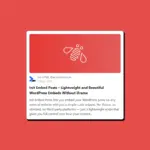
- 4. init_plugin_suite_embed_posts_favicon_url
- 5. init_plugin_suite_embed_posts_extracted_images
- 6. init_plugin_suite_embed_products_rest_response
- 7. init_embed_insert_locations
- Kết luận
Dưới đây là danh sách các filter quan trọng nhất, kèm mô tả và ví dụ sử dụng.
1. init_plugin_suite_embed_posts_rest_response
Filter cuối cùng trước khi trả JSON về client. Dùng để thêm, xóa, hoặc sửa các trường dữ liệu trong object trả về.
// Thêm custom field từ post meta vào JSON trả về
add_filter( 'init_plugin_suite_embed_posts_rest_response', function( $response, $post ) {
    $response['custom_field'] = get_post_meta( $post->ID, '_custom_key', true );
    return $response;
}, 10, 2 );
2. init_plugin_suite_embed_posts_excerpt
Tùy chỉnh nội dung đoạn trích hiển thị trong embed card. Dễ dàng ghi đè, format lại, hoặc dịch.
// Viết hoa toàn bộ excerpt
add_filter( 'init_plugin_suite_embed_posts_excerpt', function( $excerpt, $post ) {
    return strtoupper( $excerpt );
}, 10, 2 );
3. init_plugin_suite_embed_posts_images
Ghi đè danh sách ảnh dùng trong embed. Mặc định plugin sẽ trích tự động từ nội dung, nhưng bạn có thể tự cung cấp danh sách ảnh.
// Sử dụng ảnh cố định thay vì ảnh trích từ nội dung
add_filter( 'init_plugin_suite_embed_posts_images', function( $images, $post ) {
    return [ 'https://example.com/static-image.jpg' ];
}, 10, 2 );
4. init_plugin_suite_embed_posts_favicon_url
Tùy chỉnh đường dẫn favicon hiển thị ở góc embed card.
// Dùng favicon riêng cho blog post
add_filter( 'init_plugin_suite_embed_posts_favicon_url', function( $favicon, $post ) {
    return 'https://example.com/my-favicon.ico';
}, 10, 2 );
5. init_plugin_suite_embed_posts_extracted_images
Kiểm soát cách plugin trích xuất ảnh từ nội dung HTML. Hook này giúp bạn thay thế thuật toán mặc định bằng regex riêng hoặc DOMDocument.
// Chỉ giữ tối đa 3 ảnh, lọc ảnh có đuôi .jpg
add_filter( 'init_plugin_suite_embed_posts_extracted_images', function( $image_urls, $html, $limit ) {
    return array_slice(
        array_filter( $image_urls, fn( $url ) => str_ends_with( $url, '.jpg' ) ),
        0,
        $limit
    );
}, 10, 3 );
6. init_plugin_suite_embed_products_rest_response
Tương tự filter posts_rest_response nhưng áp dụng cho sản phẩm WooCommerce. Cho phép bạn mở rộng dữ liệu trả về cho mỗi sản phẩm embed.
// Thêm thương hiệu (brand) vào JSON trả về
add_filter( 'init_plugin_suite_embed_products_rest_response', function( $response, $product ) {
    $response['brand'] = get_post_meta( $product->get_id(), '_product_brand', true );
    return $response;
}, 10, 2 );
7. init_embed_insert_locations
Quyết định vị trí chèn nút “Copy mã nhúng” tự động vào frontend. Có thể chèn sau tiêu đề, trước hoặc sau nội dung, hoặc ở meta WooCommerce.
after_title– Ngay sau tiêu đề <h1>before_content– Trước nội dungafter_content– Sau nội dungafter_product_meta– (chỉ Woo) Sau meta sản phẩm
// Hiển thị ở đầu và cuối nội dung
add_filter( 'init_embed_insert_locations', function( $locations ) {
    return [ 'before_content', 'after_content' ];
} );
Kết luận
Plugin Init Embed Posts không chỉ đơn giản và nhẹ – mà còn cực kỳ linh hoạt để tích hợp vào bất kỳ hệ thống nào.
Chỉ với vài dòng add_filter(), bạn có thể:
- Tùy biến JSON embed để dùng trên mobile app
- Kiểm soát ảnh hiển thị theo branding riêng
- Tự động chèn nút embed theo vị trí mong muốn
Đây là công cụ lý tưởng nếu bạn muốn mở rộng khả năng chia sẻ nội dung một cách hiện đại và có kiểm soát.









Bình luận